
Decision Site Agents
Build powerful AI-driven workflows to automate your sales processes
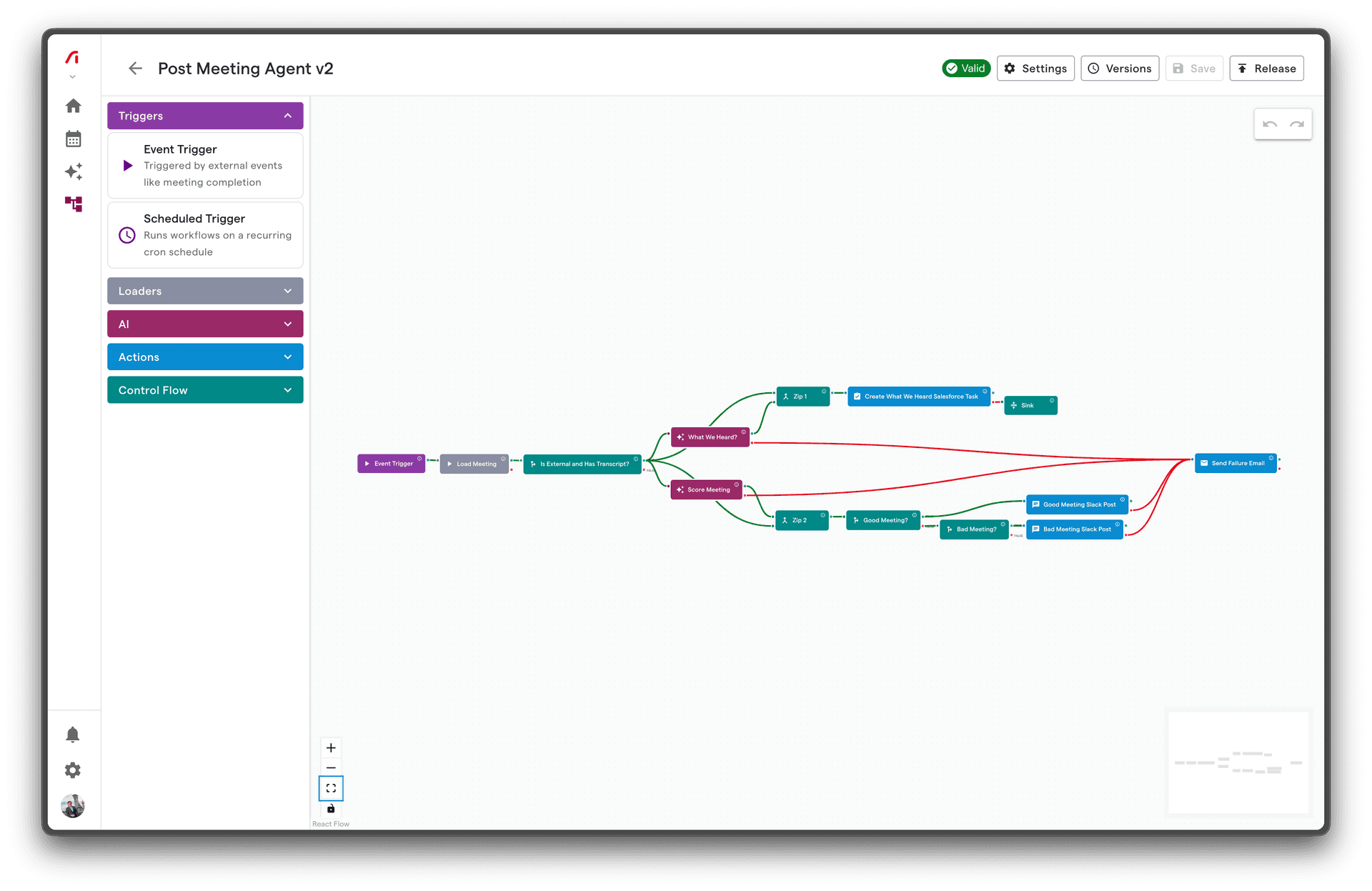
Welcome to Agents, a powerful workflow automation feature within Decision Site that helps you build AI-driven automations for your sales processes.
Quick Navigation
Getting Started
New to Agents? Start here to learn the basics and build your first workflow.
- Quick Start Guide - Build your first workflow in 10 minutes
- Platform Overview - Understand what Agents can do
- Core Concepts - Learn the fundamental building blocks
Node Reference
Detailed documentation for every node type available in the workflow builder.
- Triggers - Events and schedules that start workflows
- AI Nodes - Add intelligence with AI processing
- Actions - Send messages, create tasks, update CRMs
- Control Flow - Conditionals, merges, and flow control
Guides
Best practices and patterns for building effective workflows.
- Workflow Design - Architecture and design patterns
- Data Flow - How data moves between nodes
- Error Handling - Build resilient workflows
Integrations
Connect to your existing tools and platforms.
- HubSpot - Sync with HubSpot CRM
- Salesforce - Sync with Salesforce
- Slack - Send notifications to Slack
What Can You Build?
Agents enables you to automate complex sales workflows:
Meeting Follow-ups
Automatically summarize meetings and send follow-up emails to attendees with AI-generated insights and action items.
Deal Room Updates
Keep your CRM in sync by automatically updating deal stages, creating tasks, and logging activities based on meeting outcomes.
Intelligent Notifications
Route important information to the right people at the right time via Slack, email, or SMS based on configurable conditions.
AI-Powered Analysis
Leverage AI to analyze meeting transcripts, extract key insights, and generate actionable recommendations.
How It Works
Trigger → Process → Act
- Triggers start your workflow when specific events occur (meetings end, schedules fire, manual triggers)
- Processing nodes transform, analyze, and route your data (AI analysis, conditionals, data merging)
- Action nodes take action in the real world (send messages, create tasks, update records)
Key Features
| Feature | Description |
|---|---|
| Visual Builder | Drag-and-drop interface to design workflows without code |
| AI Integration | Built-in AI nodes for summarization, analysis, and content generation |
| CRM Sync | Native integrations with HubSpot and Salesforce |
| Reliable Execution | Automatic retries, error handling, and dead letter queues |
| Scheduling | Run workflows on cron schedules with timezone support |
| Real-time Triggers | React to events as they happen |
Need Help?
- Tutorials: Step-by-step guides for common use cases in Tutorials
- Troubleshooting: Solutions to common issues in Troubleshooting
- FAQ: Answers to frequently asked questions in FAQ
Ready to get started? Build your first workflow →